It is possible to split a branch from a company so that it becomes its own separate company.
| Log into Influence with the User ID: ADM (i.e. Administrator user) You must log in as the ADM user - no other login is able to perform this task. |
Open the company you wish to split and use the 'Branch' drop-down to select the branch to split out.
Then click the Branch icon at the top of the screen (building icon).

When the Branch Entry screen appears choose the Data menu at the top and then select Create Company from this Branch.
The system will then split the selected BRANCH from this client, and create a new COMPANY record.
PLEASE NOTE
Ensure the Branch you wish to split out is NOT marked as the Main branch (the tick-box should be unchecked).
If it is the Main branch, you will need to designate another branch as the Main branch before attempting the above steps again.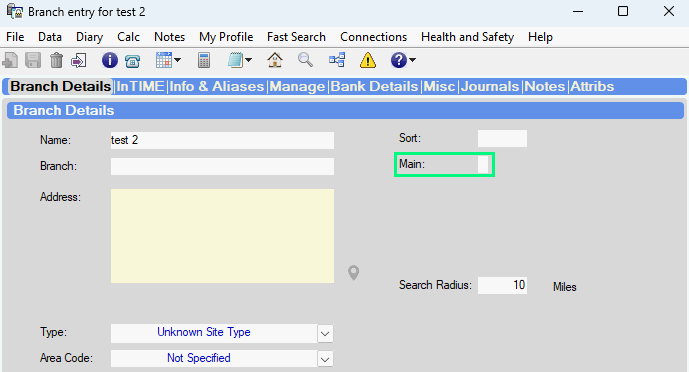
Keywords: Split, Company, User

Was this article helpful?
That’s Great!
Thank you for your feedback
Sorry! We couldn't be helpful
Thank you for your feedback
Feedback sent
We appreciate your effort and will try to fix the article